Webhooks
Papaya uses webhooks to deliver real-time event data—such as order status updates—to your server. Each API key is configured with a single Webhook URL, and Papaya will POST relevant event payloads to that URL.
Enabling Webhooks
When creating an API key via the Papaya merchant dashboard, enter a valid URL in the Webhook URL field. This URL will receive event updates related to the key's assigned use case only:
-
Digital Ordering — Receives order status updates (
order.inKitchen,order.readyForPickup,order.complete,order.cancelled) only for orders created via that integration. -
Reservations — Receives order updates (
order.totalsUpdated,order.statusUpdated,order.channelUpdated,order.guestCountUpdated) only for reservation-linked orders. -
Order Data — Receives
order.completeandorder.cancelledevents for all orders placed through the POS, regardless of source. -
Inventory Management — Receives
menus.published,order.completeandorder.cancelledevents for menu syncing and inventory tracking.
General POS orders not associated with any API key will not trigger webhooks.
Published Updates
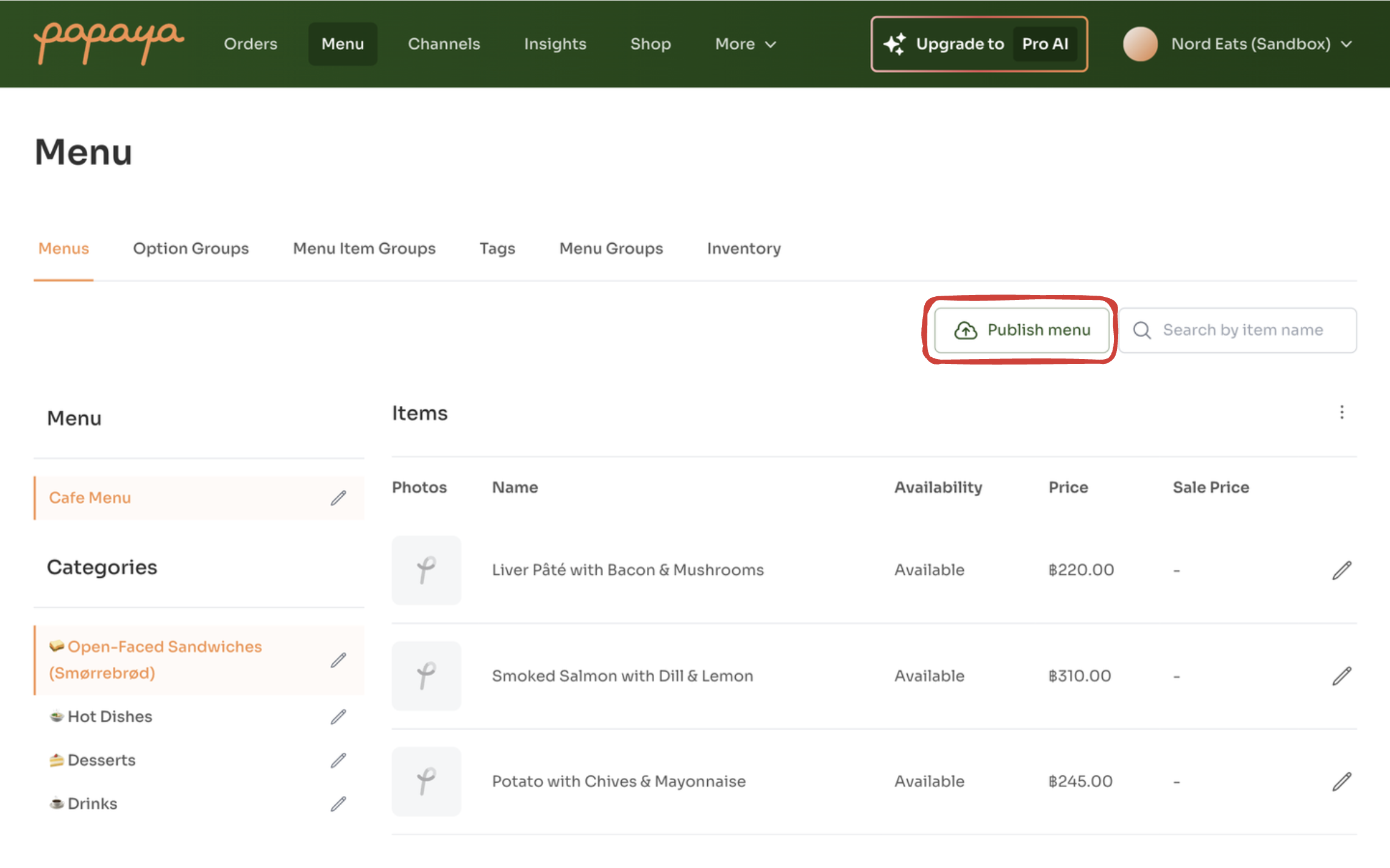
For potentially noisy updates—such as Menu or Channel changes—merchants must manually click “Publish” in the dashboard after making changes.
These types of updates are typically less frequent, but involve larger resources (e.g. full menus) that may undergo many small edits. Without publishing, each minor change could trigger excessive webhook traffic. The manual publish step ensures that only intentional, consolidated updates are sent via webhook.
In these cases, Papaya sends a lightweight webhook notifying you that the resource has changed — not the full updated data. It’s your responsibility to call the relevant GET endpoint to retrieve the latest version.
Supported webhooks
| Event | Trigger | Typical Use-Case |
|---|---|---|
| Channels Published | A merchant clicks Publish after editing channels.event: channels.published |
Refresh your local list of channels and restaurant table definitions. |
| Menu Published | A merchant clicks Publish after editing a menu.event: menus.published |
Update menu in digital ordering apps so customers always see the latest menu. |
| Order Status | Order status changes triggering the event:• order.inKitchen• order.readyForPickup• order.complete• order.cancelled |
Update customer UI or send notifications. |
| Outlet Updated | Outlet details changed in merchant dashboard.event: outlet.updated |
Sync branding, opening hours, or address details in external systems. |
| Reservation Order Update | One of four reservation-linked order event:• order.totalsUpdated• order.statusUpdated• order.channelUpdated• order.guestCountUpdated |
Pull fresh order data and apply business-specific logic (e.g. update a reservation platform’s bill, move table assignments, adjust guest count analytics). |
Handling responses
| HTTP Status | Meaning |
|---|---|
| 200 | Acknowledged – no retry will occur |
| ≠ 200 | Failure – Papaya retries with backoff* |
* Papaya will retry non-2xx responses several times using exponential backoff until it succeeds or times out.
Always return 200 OK immediately once you’ve enqueued or processed the event.
Republishing Order Webhooks
If your system missed webhook events or needs to reprocess orders, merchants can republish order webhooks from the Papaya dashboard:
-
Navigate to Orders and filter by the Complete or Cancelled tab.
-
Select the orders you want to republish, or use the ⋮ menu to bulk update all visible orders.
-
Click Republish orders (when selecting individual orders) or Bulk update orders (from the menu).
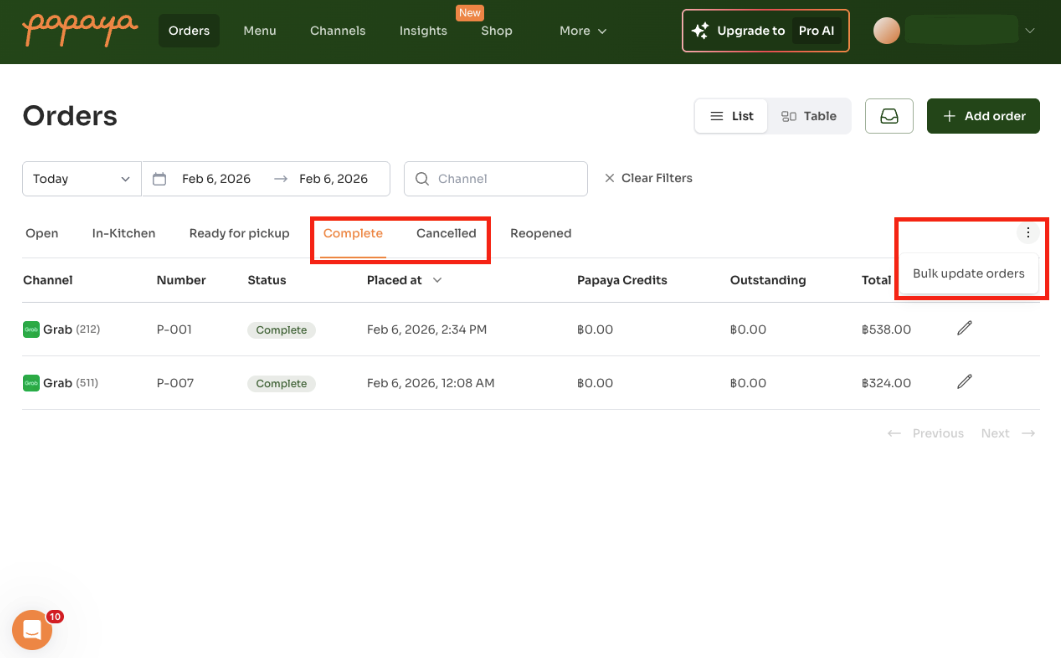
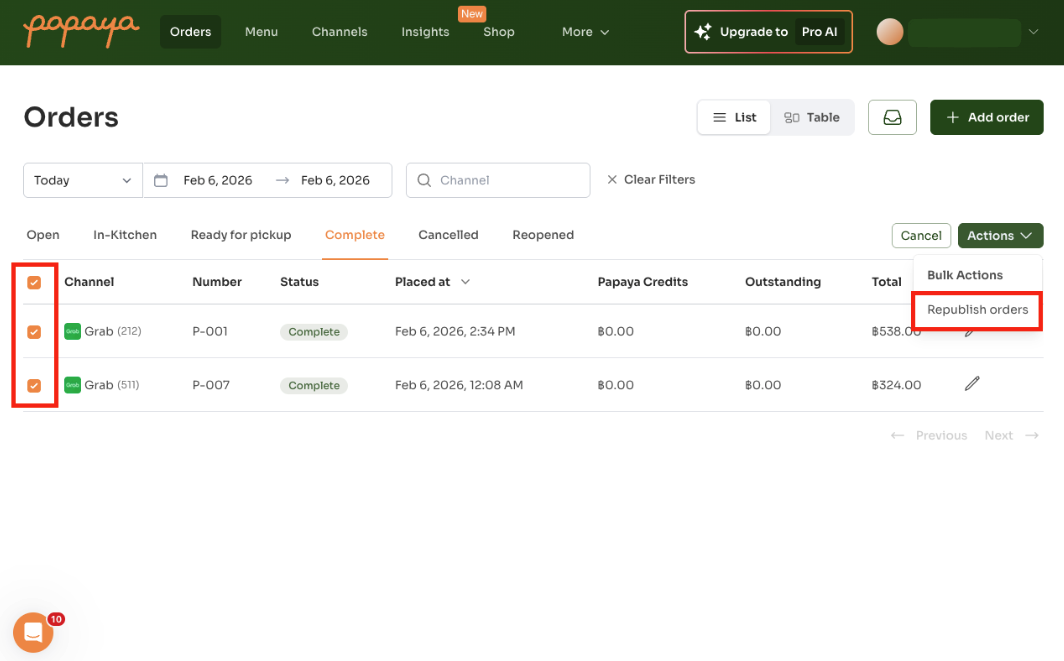
This will re-send the order.complete or order.cancelled webhook events for the selected orders, allowing your system to re-fetch the latest order details via GET /api/v1/orders/:id.
For recovering from downtime or backfilling larger periods, you can either republish the order webhooks as above or use the GET /api/v1/orders date range endpoint to retrieve orders in bulk. See the Order Data and Inventory Management use cases for details.
Best practices
-
Idempotency: design your handler so repeated deliveries don’t cause duplicates
-
Low latency: respond within < 5 seconds to avoid timeouts or retries
-
Logging: record incoming payloads and responses for debugging
-
Security:
-
Validate requests originate from Papaya’s IP range or via a shared secret in the URL path/query
-
Use HTTPS with a valid TLS certificate
-
-
Monitoring: track failure rates and alert when retry thresholds are exceeded
With webhooks configured, you’ll receive realtime updates without polling—enabling faster, more efficient workflows.