Authentication
All Papaya Open API endpoints require a Bearer token for authentication. Create a separate API key for each use case (e.g. Digital Ordering, Reservations), and include the corresponding token in the Authorization header of each request.
Why token-based auth?
-
Stateless: No cookies or sessions—each request stands alone.
-
Secure: Tokens are long, opaque strings (JWTs) that you store server-side.
-
Granular: You can label and rotate individual tokens without disrupting others.
Setting the header
Include your token exactly as shown below. Any deviation (missing space, wrong case) will result in 401 Unauthorized.
GET /api/v1/menus?channelType=partner
Authorization: Bearer eyJhbGciOiJIUzI1NiIsInR5cCI6IkpXVCJ9…
Creating your first token
API keys are scoped to individual outlets and can be created and managed per outlet here: https://merchant.papaya.co.th/settings/openapi
Once Open API is enabled for an outlet:
-
Click “New API Key”
-
Fill in the required fields:
-
Use Case – Select the relevant use case (e.g. Digital Ordering)
-
Label – Name your integration for easy reference
-
Webhook URL – Specify where Papaya should send event notifications
-
-
Click Save to generate the key
-
Copy and securely store the token – it will only be shown once
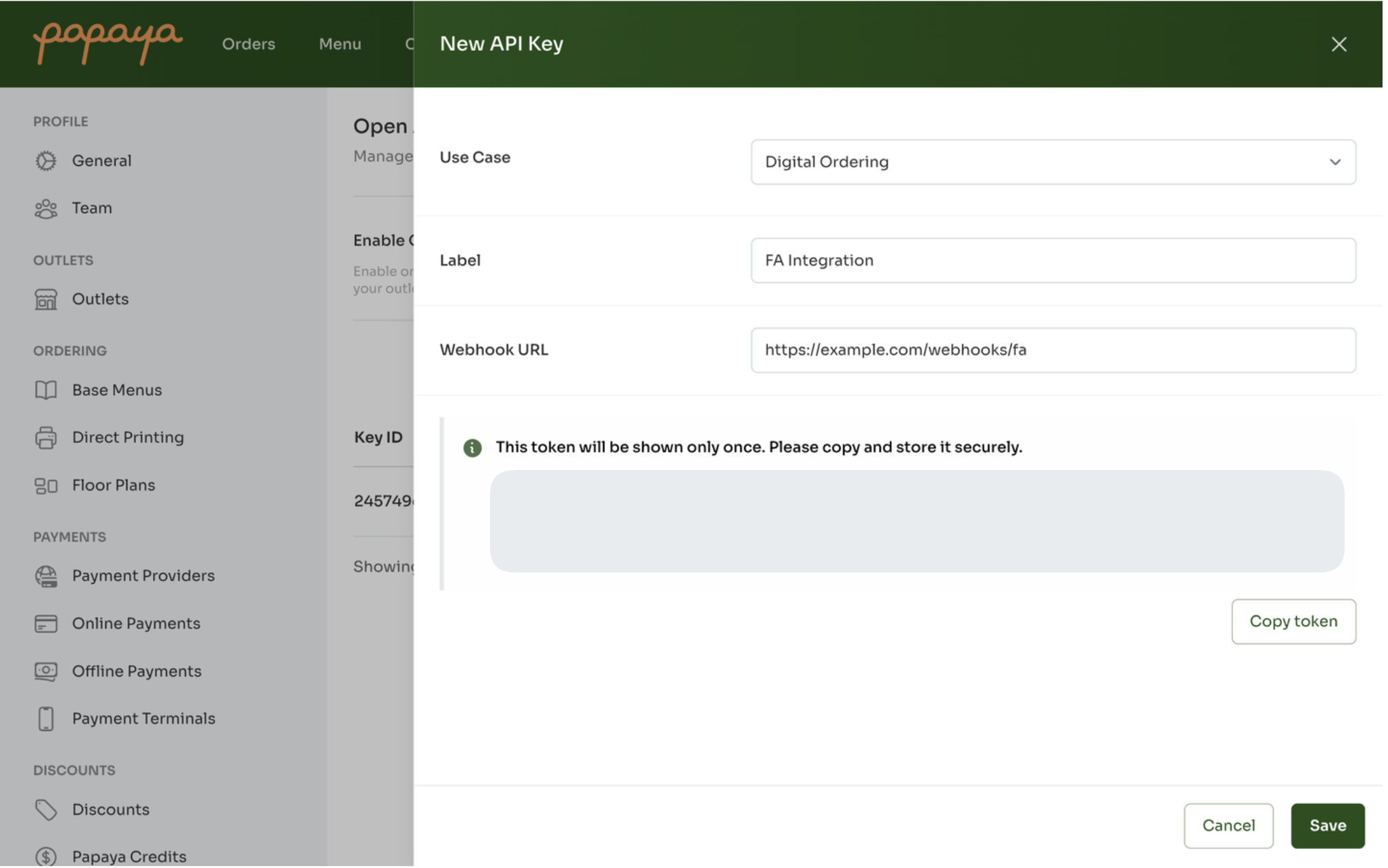
Copy the token immediately, you won’t be able to retrieve it again. Store it in a secure vault or environment variable.
Revoking tokens
To revoke a token, open the corresponding API key entry and toggle the “Revoked” field. This will immediately disable the token, preventing it from being used for any further API requests.
Common pitfalls
- Missing header: If you forget Authorization, you’ll see:
{ "code": 401, "message": "Unauthorized" }
-
Malformed token: Extra characters or truncated tokens also yield 401.
-
Wrong environment: Don’t mix production tokens with sandbox APIs.
-
Expiration: While Papaya tokens don’t expire by default, rotating them every 90 days is a good security practice.